Ghosts in the Drawer: How Your Forgotten Devices Are Handing Identity Thieves Everything They Need
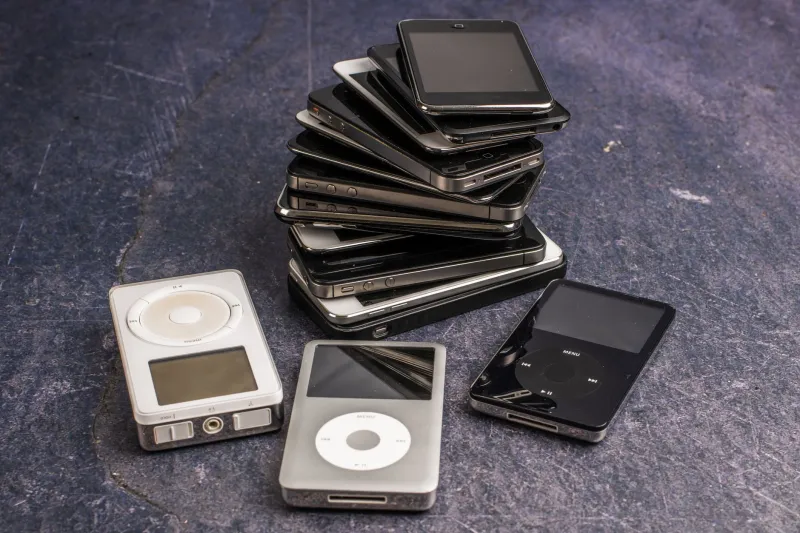
There is a drawer in millions of American homes that functions, unintentionally, as a personal archive. Inside it sits a cracked iPhone from three upgrades ago, a tablet the kids no longer use, and perhaps a laptop retired when the new one arrived last Black Friday. Most people assume those devices are inert — stripped of value the moment they tapped "Erase All Content" or dragged files to the recycling bin. That assumption is dangerously incorrect.
Forensic researchers, cybersecurity professionals, and law-enforcement agencies have documented for years what the general public has largely not absorbed: deletion, in the conventional sense, does not destroy data. It relocates a pointer. The underlying information — the photographs, the saved passwords, the cached emails, the autofilled bank account numbers — often remains physically present on the storage medium, recoverable by tools that are freely available and require no specialized expertise to operate.
What "Deleted" Actually Means on a Modern Device
When a smartphone or computer removes a file, it typically marks the space that file occupied as available for future use. The original data persists until new information is written over it. On a device that is being retired rather than actively used, that overwriting may never happen. The file effectively waits, intact, for whoever next inspects the storage.
Flash memory — the type found in virtually every modern smartphone, tablet, and solid-state laptop drive — adds another layer of complexity. Because flash storage manages wear across its cells through a process called wear leveling, the operating system does not always control precisely where new data lands. This means that even an intentional overwrite may not reach every copy of a sensitive file. Fragments can linger in sectors the device's own software cannot directly address.
Factory resets, which most users treat as the gold standard of pre-disposal preparation, are frequently insufficient. A 2014 study by the security firm Avast purchased 20 used Android smartphones from eBay, all of which had been factory reset by their previous owners. Researchers recovered more than 40,000 photographs, 750 emails and text messages, and four previous owners' identities — including one individual's completed loan application. The underlying mechanics have not changed meaningfully since that study was published.
The Secondary Market Problem
The scale of device resale in the United States is substantial. Tens of millions of smartphones are traded in, sold on platforms such as eBay and Facebook Marketplace, or donated to charitable programs every year. Refurbishers and resellers vary enormously in the rigor of their data-sanitization practices. Some apply enterprise-grade wiping protocols; others do not.
Donation programs present a particular concern. Organizations that accept used electronics for redistribution to schools, low-income families, or international aid recipients operate under resource constraints that can limit thorough data erasure. A device donated with good intentions can arrive in a stranger's hands carrying the previous owner's entire digital life.
Cybercriminals are aware of this pipeline. Researchers and journalists investigating underground forums have found discussions of sourcing devices specifically from resale channels, with participants describing recovery techniques in transactional terms. The target is not the hardware — it is the residual data.
What Attackers Are Looking For
The information recoverable from an improperly wiped device is not limited to obvious files. Modern smartphones and laptops accumulate data in ways most users never consciously consider.
Browsers cache login tokens and session cookies that can, in some circumstances, be replayed to access accounts without a password. Password managers and autofill systems store credentials locally before syncing them to the cloud. Banking and financial applications may retain account numbers, routing information, and transaction histories in local databases. Health applications log sensitive medical information. Messaging applications archive conversation histories. Cloud-service authentication tokens can grant access to email, document storage, and contact lists long after the device itself has left its owner's possession.
Family photographs carry their own risks. Beyond the obvious privacy implications of intimate images in a stranger's hands, photo libraries frequently contain images of documents — passports, Social Security cards, insurance cards, and checks photographed for mobile deposit. A single camera roll can supply nearly everything required to commit comprehensive identity fraud.
Secure Deletion: What It Actually Requires
The standard for genuinely secure device disposal differs by storage type and operating system, but the underlying principle is consistent: data must be overwritten, encrypted to a standard that renders it computationally unrecoverable, or physically destroyed.
For smartphones and tablets, the most reliable consumer-accessible method is to enable full-device encryption before performing a factory reset. On modern iPhones, data encryption is enabled by default and tied to the device's hardware security key; a factory reset destroys that key, rendering the encrypted data unreadable even if the raw storage is extracted. Android devices manufactured in recent years also encrypt by default, but users should verify that encryption is active in the device settings before resetting. On older Android devices, encryption may need to be enabled manually prior to wiping.
For laptops and desktop computers, the approach depends on the type of storage. Traditional hard disk drives — which use spinning magnetic platters — can be overwritten using software tools such as DBAN (Darik's Boot and Nuke), which overwrites every sector with random data multiple times. For solid-state drives, software overwriting is less reliable due to the wear-leveling behavior described earlier. The more dependable options are full-disk encryption combined with a secure erase command (available through manufacturer utilities for most major SSD brands), or physical destruction.
Physical destruction — degaussing magnetic drives, shredding platters, or drilling through storage chips — is the only method that provides absolute certainty. For individuals disposing of devices that held particularly sensitive information, it is worth considering.
A Practical Checklist Before Any Device Leaves Your Hands
Regardless of whether a device is being sold, donated, traded in, or simply discarded, the following steps should be completed in sequence:
- Back up any data you wish to retain to a trusted, encrypted destination before beginning the erasure process.
- Sign out of every account — Apple ID, Google account, Microsoft account, banking applications, and social media platforms — individually, rather than relying on the factory reset to handle this.
- Remove or disable remote-find features such as Find My iPhone or Google's Find My Device, which can otherwise complicate the reset process.
- Verify encryption status and enable it if it is not already active.
- Perform the manufacturer's factory reset through the device's official settings menu, not a third-party application.
- For laptops with SSDs, use the manufacturer's secure erase utility or, if unavailable, consult the drive manufacturer's documentation for the appropriate procedure.
- Remove SIM cards and memory cards before handing the device to anyone. These are frequently overlooked and can contain contacts, messages, and photographs.
The Broader Implication
The devices accumulating in American homes represent a form of latent exposure — risk that exists not because of anything their owners are currently doing, but because of what they once did on hardware they have since forgotten about. As upgrade cycles shorten and device inventories grow, the aggregate scale of that exposure increases.
Proper disposal is not a complicated process, but it does require deliberate action. The factory reset that takes two minutes to initiate is not, by itself, sufficient. Understanding what deletion actually means — and what it does not — is the first step toward ensuring that a device you no longer use does not become a resource for someone who intends you harm.