You Tapped 'Allow' and Handed Over Far More Than You Realized
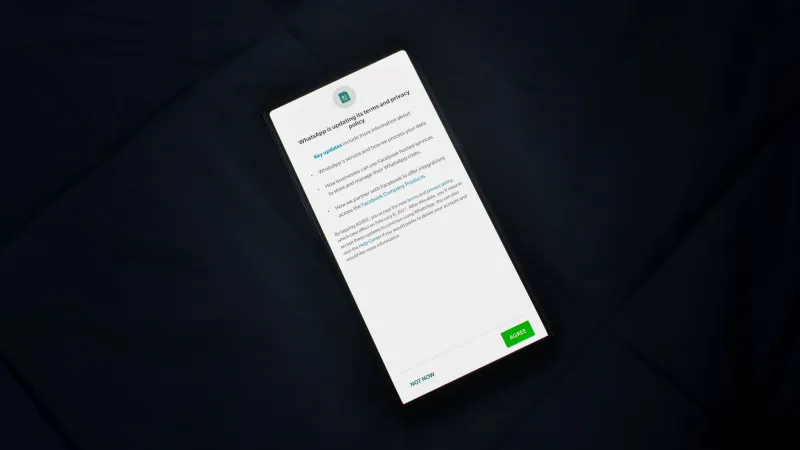
The sequence is familiar to every smartphone user in America. You download an app, a dialog box appears, and you tap through a series of permission requests because the alternative — declining and potentially breaking the app — feels like more trouble than it is worth. What most people do not appreciate is that those few taps can constitute one of the most consequential data-sharing decisions they make all year.
App permissions are not merely technical housekeeping. They are gateways. And in many cases, the data that flows through them has very little to do with the service the app is nominally providing.
What a Permission Request Actually Unlocks
When an app asks for access to your notifications, the average user assumes this is a one-way street — the app will push alerts to you. In reality, on both iOS and Android, notification access can allow an app to read the content of notifications generated by other apps on the same device. That means a seemingly innocuous utility app could, in principle, observe text message previews, banking alerts, and authentication codes passing through your notification shade.
Location permissions carry their own layered complexity. There is a meaningful difference between "precise" and "approximate" location, and between access granted only while the app is in use versus access granted at all times. Many apps request the broadest possible setting and frame it as necessary for core functionality — even when a rough location estimate would serve the stated purpose equally well.
Contact permissions are particularly sensitive. Granting an app access to your address book does not merely expose your own information. It exposes the names, phone numbers, email addresses, and sometimes physical addresses of every person who trusted you with their contact details. Several major apps have faced regulatory scrutiny in the United States precisely because they uploaded contact lists to remote servers without users fully understanding this was occurring.
The Gap Between What Apps Need and What They Ask For
Security researchers use a concept called the "principle of least privilege" — the idea that any system or application should operate with only the minimum access required to perform its function. Most consumer apps do not follow this principle. They follow a different logic entirely: collect as much as possible, because data that seems useless today may be valuable tomorrow.
Consider a flashlight app requesting microphone access. Or a recipe application asking for your precise GPS coordinates. Or a casual mobile game seeking permission to read your call logs. None of these requests are technically unusual — they appear regularly in app stores. And because the permission dialog arrives at the moment of maximum enthusiasm (you just decided you want this app), users are psychologically primed to approve rather than scrutinize.
This dynamic is not accidental. User interface researchers have documented that permission dialogs placed immediately after a positive engagement moment — completing a signup, finishing a tutorial — achieve significantly higher approval rates than those presented at neutral moments.
How Behavioral Profiles Are Built Across Apps
Individual permissions become far more powerful when the data they collect is aggregated across applications. Advertising networks and data brokers operate SDKs — small software packages embedded inside thousands of apps — that collect behavioral signals from each application and stitch them together into unified profiles. Your fitness app knows when you wake up. Your navigation app knows your commute route. Your shopping app knows your price sensitivity. Individually, these are fragments. Combined, they form a remarkably detailed portrait.
This cross-app profiling is one reason why you may notice advertisements following you across entirely unrelated applications. The apps themselves may belong to different companies, but the advertising SDK embedded in each of them reports back to the same central infrastructure.
Auditing Your Own Permissions: A Practical Starting Point
The good news is that both major mobile operating systems provide tools to review and revoke permissions, and using them requires no technical expertise.
On iPhone (iOS 15 and later): Navigate to Settings → Privacy & Security. Each category — Location Services, Contacts, Microphone, Camera, and so on — lists every app that has been granted access. You can revoke access for any app individually, and you can downgrade location permissions from "Always" to "While Using" without disabling the feature entirely.
On Android: The path varies slightly by manufacturer, but Settings → Privacy → Permission Manager provides the same categorical view. Android also introduced a permission auto-reset feature in recent versions that automatically revokes permissions for apps you have not used in several months — worth verifying that this is enabled on your device.
As you work through this audit, apply a simple test to each permission: if this access were removed, would the app's core function break? A maps application without location access cannot navigate — that permission is legitimate. A weather app without microphone access still displays the forecast — that permission is not.
Notification Permissions Deserve Separate Attention
Notification access is frequently overlooked in permission audits because it feels passive. But as noted above, apps with notification access on Android can potentially read notification content from the entire system. Review which apps hold this level of access under Settings → Apps → Special App Access → Notification Access (the exact path varies by Android version). The list is often surprising. Revoke it for any app that has no plausible reason to read your alerts.
On iOS, notification permissions are less permissive in their scope but still worth auditing. An app that floods you with marketing notifications at all hours has been granted more influence over your attention than it deserves.
The Broader Principle
App permissions are not a technical formality. They are a negotiation over access to your digital life, conducted at a moment when you are least likely to read the fine print. Treating them with the same deliberateness you would apply to signing a contract — because that is essentially what they are — is one of the most effective privacy practices available to ordinary smartphone users.
The tap that takes two seconds to complete can take considerably longer to undo. Knowing what you are agreeing to before you agree is not paranoia. It is simply informed consent.